TikTok Smart+ brings AI-powered campaign automation into TikTok Ads Manager, covering audience selection, budget allocation, placements and creative delivery. Its upgraded experience supports full automation, partial automation or manual settings across supported objectives. You decide which controls to keep rather than handing over every decision.
Your job is to make those decisions worth automating. Start with a conversion event tied to revenue, accurate tracking and ads you would approve without an AI label.
Below, you will build a Smart+ campaign, set spending boundaries, check Symphony creative tools and read results without confusing cheaper traffic with profitable customers. You will also see where ad credits fit into your acquisition costs.
Quick Verdict
Choose Smart+ when your conversion data is dependable and your budget can support a meaningful test. Keep tighter control over strict audience requirements, fixed spending commitments and creative approvals.
At Adcredits Expert, our recommendation is simple. Compare against a real baseline and let results decide your next move. An automation badge is not evidence of better performance.
Choose Your Smart+ Controls Before You Spend
In 2026, upgraded Smart+ combines manual and automated buying within one creation flow. Supported objectives include Sales, Lead Generation, App Promotion and Traffic. Access still varies, so your account may display an earlier interface.
Start by deciding which decisions can be automated and which must follow business constraints.
| Campaign component | Automation option | Control to retain |
|---|---|---|
| Budget | Allocate spend across ad groups | Separate budgets when spend commitments differ |
| Audience | Find likely converters | Required locations, age boundaries and exclusions |
| Placements | Allocate across eligible surfaces | Select permitted placements where available |
| Creative | Combine assets and suggest variations | Approved messages, destinations and permissions |
These controls are separate choices, not one universal switch.
Upgraded accounts can offer manual placement selection. Earlier Smart+ Web flows may still require automatic placement, so do not assume another advertiser’s screenshot matches your available settings.

TikTok Ad Smart+ Controls: Unlock $6000 Credits
Use TikTok Ad automation controls wisely and claim $6000 TikTok Ad Credits for smarter campaign scaling.
Give Smart+ Conversion Signals Worth Buying

Before campaign creation, open Tools → Events Manager → Connect Data Source → Web. Choose a partner integration or manual setup. TikTok Pixel and Events API can work together, with browser events and server events feeding one measurement setup.
Configure events around completed actions, not convenient button clicks.
When both connections report one purchase, send an identical event name and event_id through both, using the same Pixel dataset. A new order needs a new identifier; a retry needs its original identifier. Otherwise, one customer action can become several reported conversions. Browser and server event deduplication is not optional when events overlap.
Next, use Test Events to inspect browser and server activity. Review Diagnostics, matching information and deduplication details. Events Manager’s total event count includes attributed and unattributed activity, so do not treat every received purchase as an ad conversion.
Lead advertisers need another check. With supported signal optimisation, CRM postbacks can guide delivery towards qualified leads or later sales stages. CRM stage settings apply across the account, and target CPA control is currently unavailable for CRM signals. Pixel-based deep events can support Target Cost per Result.
Measure cost per qualified lead, not just cost per submitted form.
Build Your Smart+ Campaign Step by Step
Step 1. Match Your Objective to a Paid Outcome
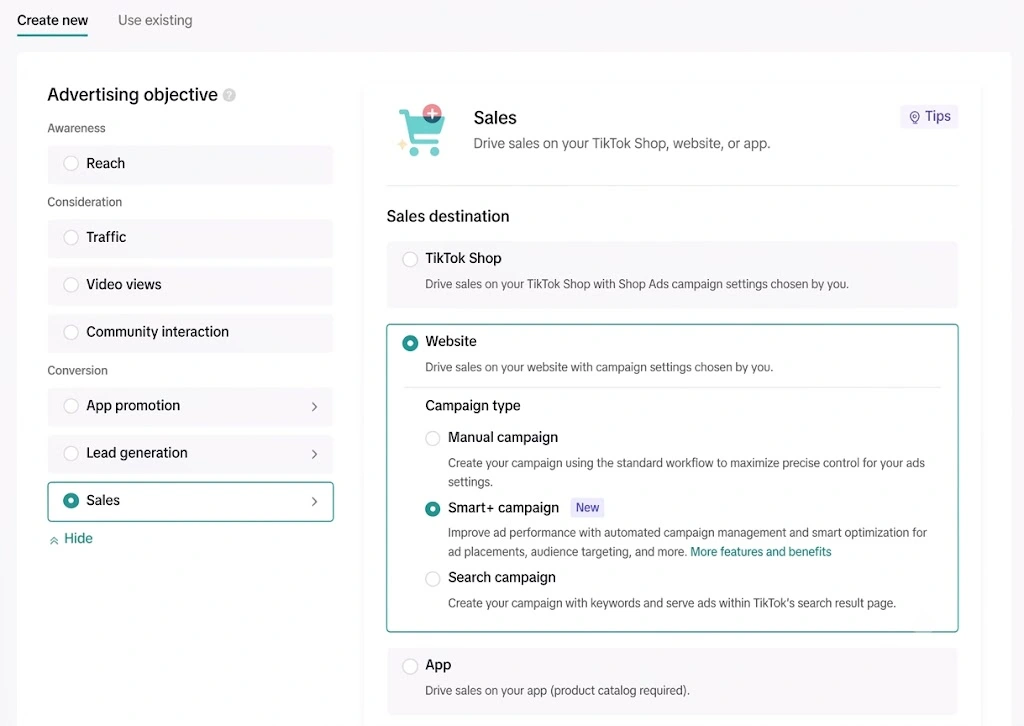
Open TikTok Ads Manager, click Create ad and choose a supported objective. Website advertisers should select Sales with Website as the destination. Choose conversion or value optimisation according to your measurement setup.
Use the appropriate route elsewhere.
Step 2. Set Your Budget Allocation Method
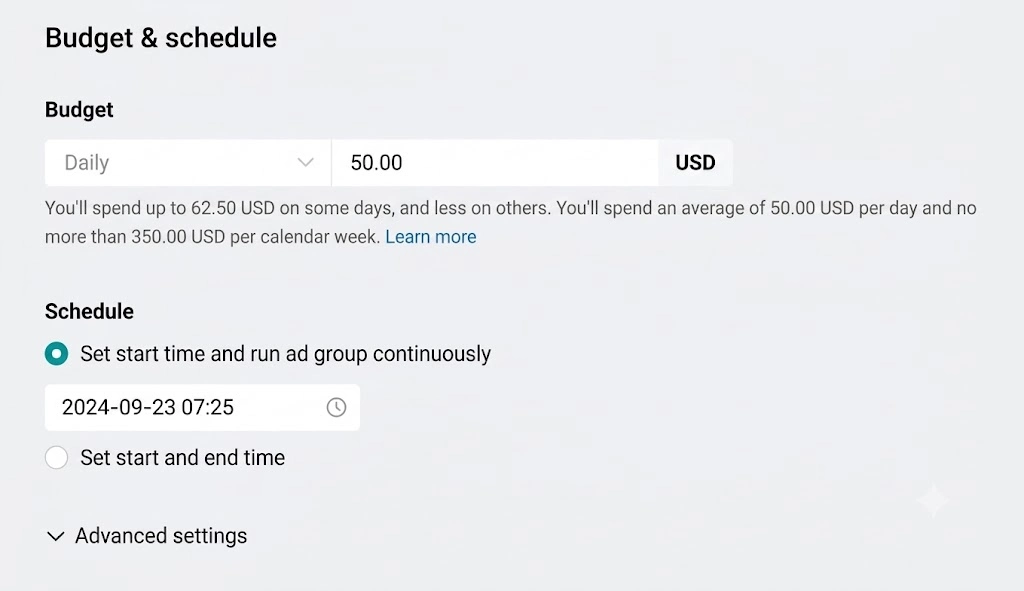
Choose Automatic campaign budget to distribute one budget across ad groups. This is campaign budget optimisation, often shortened to CBO.
Choose an Ad group budget when each audience, market or offer needs its own spending allocation. With automatic campaign budgets, ad groups must share the same optimisation location, goal and event; bid adjustments can apply across those groups.
Optional ad group spend targets are not guaranteed spending floors. Do not promise a client a fixed allocation based on a target alone.
Step 3. Fund a Test Your CPA Can Support
Choose a bid strategy deliberately.
The budget answers how much you can spend. Bidding answers which outcome you want that spend to pursue.
Use a comparable historical cost per acquisition, not a number chosen because it looks affordable.
A practical Smart+ Web starting point is a daily budget of at least 10 times historical CPA. With Target CPA or Minimum ROAS, aim for 30 times historical CPA, with 10 times as the lower recommendation. These are planning recommendations, not platform minimums or performance guarantees.
For example, a $20 historical CPA implies a $200 daily starting point at 10 times CPA, or $600 at 30 times. Seven days at $200 means a $1,400 planned budget before any automatic increases.
If those numbers exceed your testing allowance, reduce campaign fragmentation instead of stretching a small budget across many ad groups.
Step 4. Separate Audience Controls From Suggestions
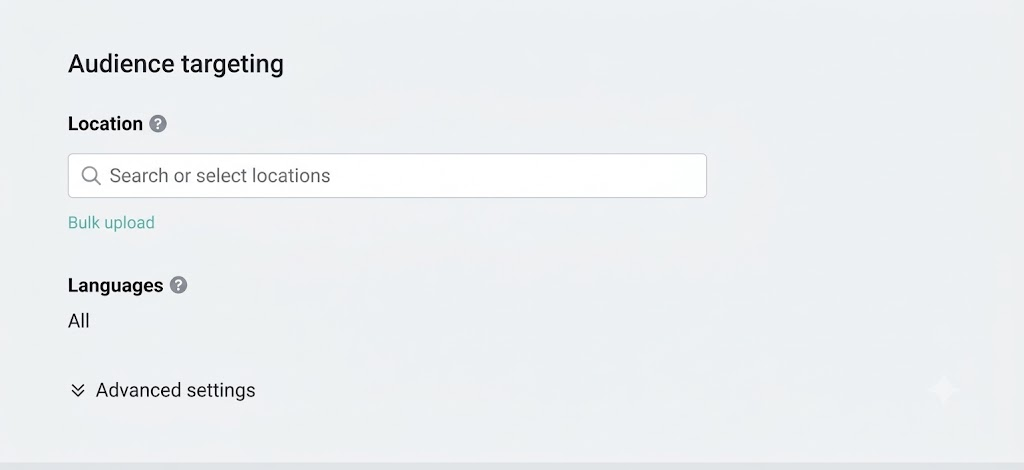
Under automatic targeting, Audience controls set boundaries such as location, minimum age, language and excluded audiences. Audience suggestions can include age preferences, gender, included audiences and interests.
The distinction matters. Suggestions allow expansion; controls do not. A suggested audience is not an exclusive audience.
Choose Switch to custom targeting when tighter restrictions are necessary. However, narrower settings can limit delivery. Check every restriction against actual business requirements rather than adding filters simply because they are available.
Then review placement selection and brand safety settings before adding ads.
Step 5. Group Creatives by Offer and Destination
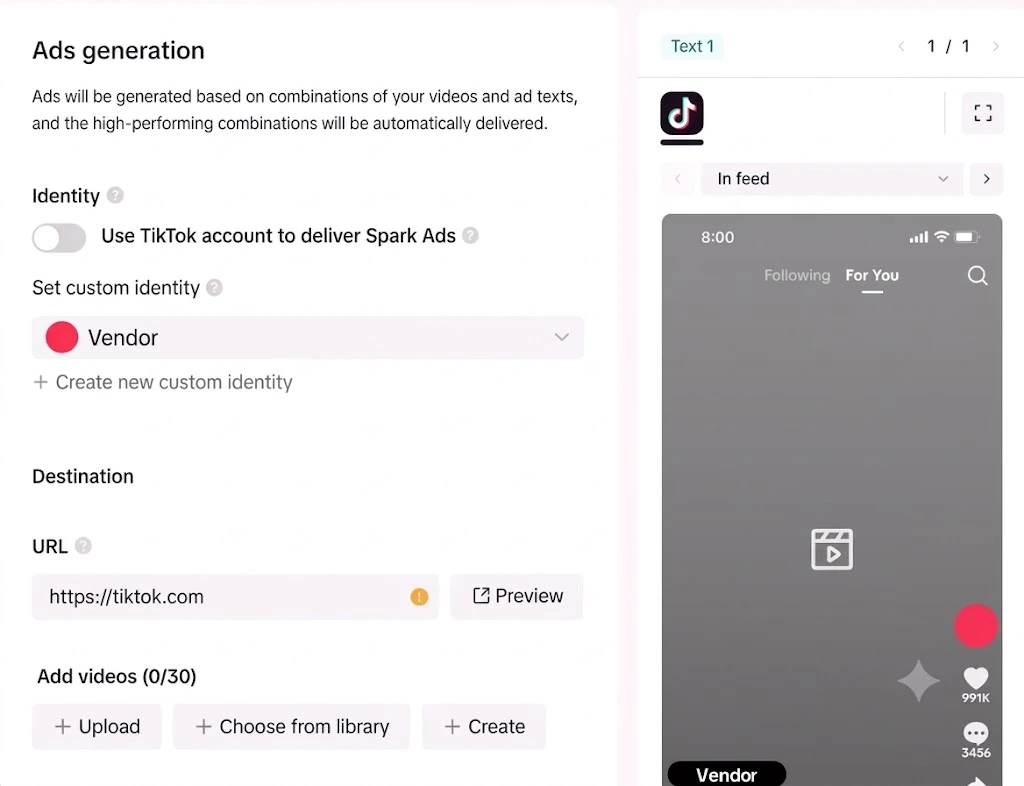
Each upgraded Smart+ ad functions as an asset group with its own URL, product set and up to 50 creative assets. Multiple ads let you promote separate destinations within one ad group.
Keep one offer’s videos and copy together. A discount message should not combine with a destination where that discount is unavailable.
To add another ad during creation, open the three-dot menu beside an ad group and select + Add ad.
Where a specific video must use specific copy, include only that asset and one text version in its ad. Otherwise, Smart+ can assemble combinations from your inputs.
With Smart+ Catalog Ads, verify product data and destination pages. Upgraded campaigns can contain both catalogue and non-catalogue ads.
Step 6. Check Permissions and Publish
Start Smart+ Web with at least six creative assets, as a recommended baseline rather than a hard requirement. Supply genuinely different demonstrations, objections and benefits instead of six near-identical edits.
With Spark Ads, check account authorisation and post permissions. An authorised post’s caption cannot be edited afterwards. Upgraded Smart+ supports combining Spark and non-Spark assets within the same ad group, unlike restrictions in some earlier flows.
Preview destinations, confirm tracking parameters and inspect every enabled automation toggle. Click Publish all after completing your ads.
Put Symphony AI Behind an Approval Process
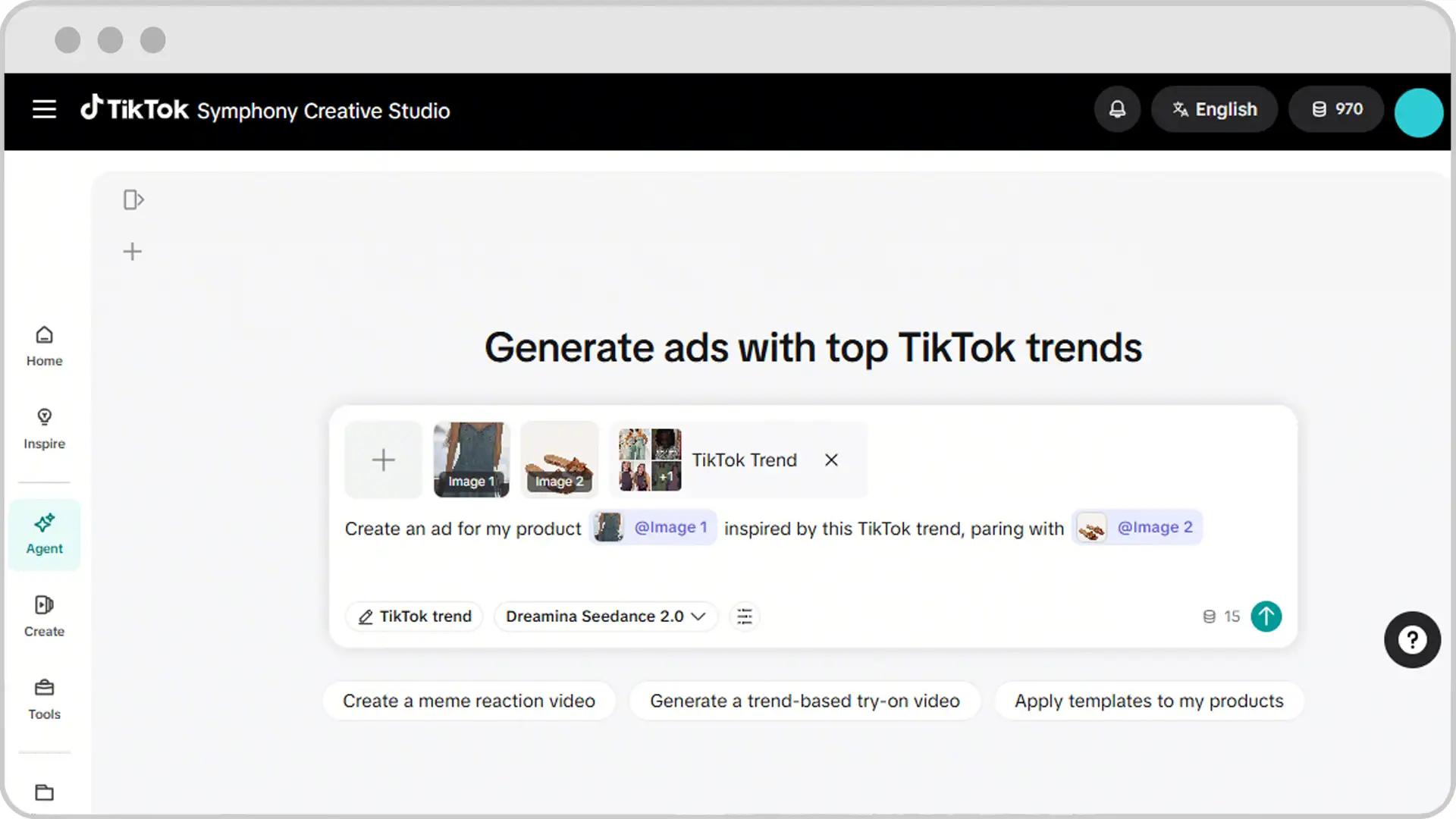
Smart+ controls delivery. TikTok Symphony creative automation helps produce and refresh the assets delivery depends on. Keep those jobs separate when evaluating results.
| Creative tool | Available capability | Your review task |
|---|---|---|
| Recommended Creatives | Suggest historical assets, authorised posts and generated variations | Check relevance, permissions and offer accuracy |
| Auto-add | Introduce recommended or generated assets during delivery | Decide which asset sources may enter automatically |
| Automatic Enhancements | Improve quality, resize, refresh music, translate and dub | Inspect crops, pronunciation and changed meaning |
Recommended Creatives uses your destination URL as an input. Auto-add controls can separately govern recommended and generated assets. Review preselected material rather than assuming every suggestion belongs in your campaign.
Automatic Enhancements supports translation and dubbing across more than 50 languages, alongside visual adjustments and music refreshes. Availability depends on your campaign setup.
Apply a simple approval gate.
A technically improved video can still communicate the wrong offer. Review output as advertising, not as a demonstration of AI.
Check the Toggle That Can Triple Your Daily Budget
Eligible Smart+ campaigns can use goal-based budget increases. With supported daily-budget campaigns, this option may be enabled by default on new campaigns.
Automatic increases require both a performance condition and budget consumption of at least 90%. Actual CPA must meet the target, or actual ROAS must meet or exceed the selected ROAS goal.
Each increase adds 20% of the original budget, up to ten times daily. Increases are additive, not compounded. At the next day’s start, budget resets to your last manual input.
A $200 starting budget could therefore become $600 during one day. That is budget capacity, not guaranteed spend.
Disable this option during a tightly capped experiment unless you have approved the additional exposure. Campaign budget allocation and permission to increase total budget are two different decisions.
Add Rules Without Duplicating Budget Increases
Upgraded Smart+ supports automated rules. Open Campaigns → Automated Rules → Create a New Rule to set conditions, actions and notifications. Continuous checks occur every 30 minutes, so a pause rule is not an instant spending cap.
Avoid stacking budget-raising rules on top of automatic budget increases without a separate spending review.
Read Smart+ Reporting Below the Ad Level
Upgraded Smart+ has four reporting levels. An ad now bundles assets, so an ad identifier and a creative identifier no longer represent the same thing.
| Reporting level | What you identify | URL parameter macro |
|---|---|---|
| Campaign | Overall campaign | __CAMPAIGN_ID__ |
| Ad group | Shared delivery settings | __AID__ |
| Ad | Asset bundle | __ADID_V2__ |
| Creative | Individual creative | __CID__ |
Preserve those distinctions in TikTok campaign tracking parameters. Otherwise, an external dashboard may attribute an entire asset bundle’s performance to one video.
Marketing API reporting can expose the upgraded ad through ad_id_v2 or smart_plus_ad_id, while creative-level mapping uses ad_id. Some mobile measurement integrations support only three hierarchy levels, so confirm mappings before comparing reports.
Check click-through and view-through attribution separately. Click attribution credits an action after an ad click; view attribution can credit an action after an impression without a click.
Choose available windows deliberately and keep comparison periods consistent. A wider window can capture later actions, but does not by itself prove additional sales caused by advertising.
Inspect creative combinations, not just campaign averages. Then compare platform results with confirmed purchases, qualified leads or retained app customers.
An attractive return on ad spend becomes less useful when your calculation ignores refunds or weak lead quality. Keep an account-level view and a business-outcome view beside each other.
Test Automation Without Changing Every Variable
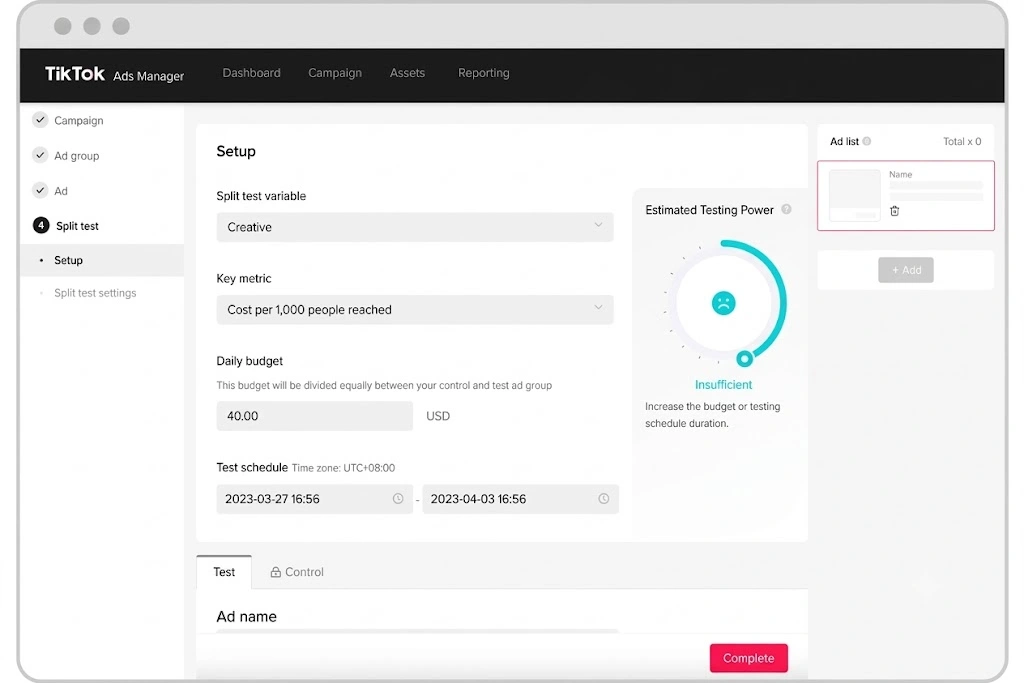
Use TikTok’s Split Testing tool to compare Smart+ with a suitable control. Supported tests include Smart+ and custom campaign comparisons. Audience separation prevents both test groups competing directly for the same people.
Keep your offer, geography, conversion event, attribution settings and creative inputs comparable. Change the automation decision you actually want to evaluate.
Allow at least seven days in your Smart+ Web test plan, avoiding significant bid, audience or creative changes during that period. However, stop and repair broken tracking or incorrect offers immediately.
Afterwards, compare conversion quality and acquisition costs, not just delivery volume. Record every material edit so a sudden result change has an explanation.
Treat Smart+ Bid Protection as Conditional Ad Credit
Smart+ Bid Protection now has a full-cycle version as its default, with a learning-phase version retained for unsupported bidding strategies. Coverage is conditional, not a blanket refund promise. Credits stay in the same ad account and cannot be withdrawn as cash or transferred.
For eligible Sales Website campaigns, requirements include at least three full consecutive days and five conversions daily. With Target Cost per Result, daily CPA must exceed 1.2 times your bid.
Pausing, manual bid edits, insufficient balance, rejection of every campaign creative and specified budget reductions can remove eligibility for a day. Check status before expecting compensation.
The Target Cost per Result calculation is:
Credit = spend − (target bid × 1.2 × conversions)
Illustratively, $600 spent against a $20 bid and 20 conversions gives a calculated $120 credit, subject to eligibility and TikTok’s approval.
Open Campaigns → Ad group and inspect the protection icon and View history for status changes and payouts.
At Adcredits Expert, keep media CPA separate from costs after credits. Use realised credits to calculate savings, but judge repeatable campaign economics before incentives.
Conclusion
Give Smart+ reliable events, commercially useful goals and creative assets you have checked. Then automate only the decisions your business can afford to delegate.
Begin with one measurable test. Keep budget expansion visible, preserve creative identifiers and compare results with actual customer value. Ad credits can improve test economics, but they should never become the reason an otherwise unprofitable campaign looks successful.

About the author

Jordan Blake
A digital advertising specialist with years of experience in optimizing ad spend and leveraging promotional credits across platforms like Google Ads, Meta Ads, and more.
Similar Posts



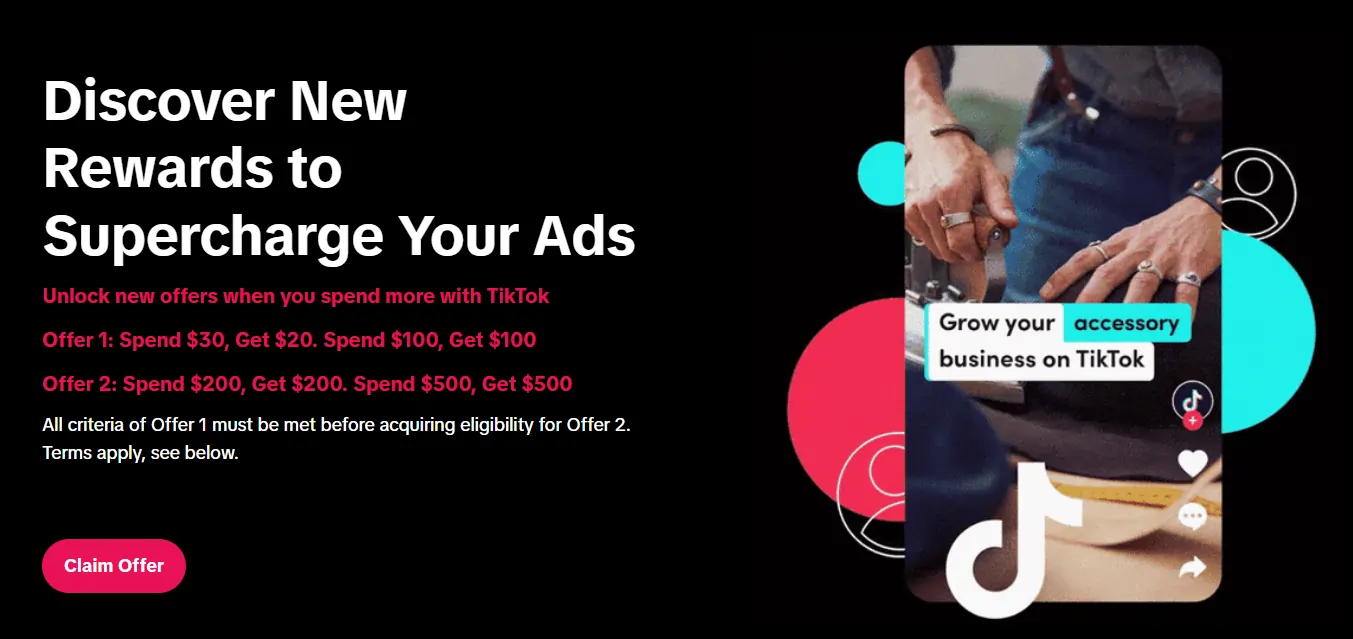
Spend $200 → Get $200
Spend $500 → Get $500
Spend $1,000 → Get $1,000
Spend $4,000 → Get $4,000
Spend $6,000 → Get $6,000
Leave a Reply