
TikTok Events API sends conversion data straight from your server to TikTok, instead of trusting a browser script that ad blockers, cookie caps and consent banners keep breaking.
Every dropped signal is money out of your pocket. Pixel-only setups lose events, Event Match Quality scores sink, and TikTok’s delivery engine ends up bidding on half a picture.
Below you get the full setup inside Events Manager, the match keys that lift matching rates, event deduplication with event_id, the integration route that fits your stack, and how to read diagnostics properly. All of it pulled from TikTok’s own documentation, written for people who watch cost per action daily.
Where Pixel-Only Tracking Quietly Bleeds Your TikTok Budget

Your TikTok Pixel lives inside a browser you do not control. Plenty goes wrong between a buyer tapping “Pay now” and TikTok logging a conversion.
Your server has none of those problems. An order sits confirmed, payment cleared, customer details already known. Sending from there gives TikTok a clean signal with far better identity data attached.
TikTok’s own published figure puts advertisers who pair Pixel with Events API at 19% more events captured and a 15% improvement in cost per action. Reason enough to stop treating server-side conversion tracking as an optional extra.

TikTok Ad Pixel Tracking Is Quietly Wasting Money
Pixel-only tracking silently loses conversions; Events API restores signals while helping unlock $6000 in TikTok Ad Credits today.
Match Keys That Let TikTok Recognise Your Actual Buyer
Sending an event is easy. Getting TikTok to tie a purchase back to a real account is the hard part, and match keys do all of that work. TikTok names five groups officially.
| Match key | What it does | Where you get it | Hashing |
|---|---|---|---|
| Click ID (ttclid) | Strongest single identifier, ties an event to a specific ad click | Appended to your landing page URL on every ad click | Send raw |
| Email and phone | Advanced Matching signal for logged-in and checkout traffic | Checkout form, account record, CRM | SHA-256 required |
| External ID | Your own customer ID, loyalty ID or cookie ID | Order object or user table | SHA-256 required |
| IP address and user agent | Device and connectivity detail | Request headers on your server | Send raw |
| First-party cookie (_ttp) | Domain-limited identifier written by the Pixel | Read the _ttp cookie server-side | Send raw |
Two notes worth acting on straight away. IP and user agent travel automatically with Pixel events, but Events API needs you to pass them deliberately.
And click ID ttclid only survives if you capture it on landing, then carry it through session storage or your database into checkout. Lose it there and matching quality drops for reasons no dashboard spells out.
Full TikTok Events API Setup Inside Events Manager
Here is the sequence from a blank account to live server events.
Step 1: Create or open your dataset

Head to TikTok Ads Manager, open Tools, then Events. Under Web Events, create a data connection or open an existing pixel. Note your event source ID, which is simply your pixel code. One pixel per website keeps reporting sane.
Step 2: Generate an access token
Open pixel Settings and click Generate Access Token. Store it as an environment variable, never in front-end code or a public repo. Agencies handling several brands can also issue tokens through a developer app using OAuth.
Step 3: Decide which events go server-side

Mirror your Pixel events rather than inventing a second taxonomy. Purchase, Initiate Checkout, Add To Cart and Complete Registration cover most accounts. Anything you optimise a campaign towards belongs on your server.
Step 4: Build the payload
Events API 2.0 posts to a single consolidated endpoint at https://business-api.tiktok.com/open_api/v1.3/event/track/ with your token in an Access-Token header.
{

  "event_source": "web",

  "event_source_id": "YOUR_PIXEL_CODE",

  "test_event_code": "TEST12345",

  "data": [

    {

      "event": "Purchase",

      "event_time": 1755640000,

      "event_id": "order_84120",

      "user": {

        "ttclid": "E.C.P.xxxxx",

        "ttp": "2ABC...",

        "email": "sha256_hashed_email",

        "phone": "sha256_hashed_e164_phone",

        "external_id": "sha256_hashed_customer_id",

        "ip": "203.0.113.24",

        "user_agent": "Mozilla/5.0 ...",

        "locale": "en-GB"

      },

      "page": {

        "url": "https://yourstore.com/thank-you",

        "referrer": "https://yourstore.com/checkout"

      },

      "properties": {

        "currency": "GBP",

        "value": 129.00,

        "order_id": "84120",

        "content_type": "product",

        "contents": [

          { "content_id": "SKU-441", "content_name": "Runner Tee", "quantity": 2, "price": 64.50 }

        ]

      },

      "limited_data_use": false

    }

  ]

}
Step 5: Get the small details right
- event_time takes a Unix timestamp in seconds, not milliseconds. A millisecond value silently kills attribution.
- Normalise before hashing. Lowercase and trim emails, convert phone numbers to E.164 format first.
- Batch several events into one request rather than firing a separate call per conversion.
- Currency and value must appear on revenue events, otherwise value-based optimisation campaigns have nothing to bid against.
Step 6: Validate with a test event code

Grab your test event code from the Test Events tab and include it while you build. Events tagged this way show up in testing without polluting live reporting.
Events Manager now also gives you a Payload Helper inside Test Events, which validates structure and points at malformed fields before anything reaches production.
Step 7: Strip the test code and watch the Overview tab
Once real traffic flows, the Connection Method should read “server & browser” against your key events. Anything stuck on “browser only” means your server calls fail quietly somewhere.
Deduplication Rules Worth Memorising Before You Go Live
Send Purchase from both Pixel and server without a shared identifier and TikTok counts two sales. Your ROAS looks superb and your bidding goes sideways.
Deduplication needs an identical event_id plus an identical event name across both connections. Generate that value once at the moment of action, then hand the same string to browser and server.
Order ID plus a timestamp makes a reliable event_id for ecommerce. Skip deduplication only when your two connections carry completely different events, say Add To Cart from the browser and Purchase from your server.
Picking an Integration Route That Fits Your Stack
| Route | Best suited to | Dev effort | Control |
|---|---|---|---|
| Direct API build | Custom checkouts, subscription apps, lead funnels | High | Total |
| Events API Gateway | Agencies and multi-brand retailers | Low | High |
| Server-side Google Tag Manager | Teams already on a server container | Medium | High |
| Commerce plugin | Shopify and WooCommerce stores | Very low | Limited |
| CDP connector | Brands on Segment, Tealium or mParticle | Low | Medium |
The TikTok Events API Gateway deserves attention if you buy media across several brands. You set up one Gateway as a host, then each ad account gets its own tenant with separate data and its own tokens.
Host admins control access, tenant admins handle their own space, and internal logic matches on event_id or _ttp to prevent duplicates. Custom domains are supported too, which helps events survive blockers.
TikTok positions Gateway for Conversions and Web VBO objectives across In-Feed and Spark Ads placements.
One prerequisite applies across every route. A Pixel or Events API connection must exist before you can use the web conversions campaign objective at all.
Standard Events That Feed Sales and Lead Optimisation

TikTok’s predefined event names drive optimisation, reporting and audience building. Custom names still arrive, but they carry less weight.
| Event code | Fires when | Objective fit |
|---|---|---|
| Purchase | Order completed and payment taken | Sales |
| InitiateCheckout | Visitor enters checkout | Sales |
| AddToCart | Item added to basket | Sales |
| AddPaymentInfo | Card or wallet details entered | Sales |
| ViewContent | Key product or offer page viewed | Sales and Lead |
| SubmitForm | Enquiry or quote form sent | Lead |
| CompleteRegistration | Account created | Lead |
| StartTrial | Free trial begins | Lead |
| SubmitApplication | Application sent for a card, course or role | Lead |
| ApplicationApproval | Application approved further down your process | Lead |
| Schedule | Appointment booked | Lead |
| Search | On-site search performed | Sales and Lead |
ApplicationApproval stays underused by lead-gen buyers and it shouldn’t. Pushing an approval back through your server teaches TikTok which form fills were worth having, which beats optimising towards raw volume every single time.
Reading Your EMQ Score and Diagnostics Without Guessing
Each dataset in Events Manager shows an Event Match Quality score per event type, calculated as a weighted average of your match key coverage. Purchase usually scores highest because checkout hands you an email and phone. ViewContent scores lower because a visitor has given you nothing yet. Both patterns are normal and neither needs fixing.
Sensible reading of the number:
The Overview tab also shows Connection Method, Total Events and Last Received, while the Diagnostics tab surfaces issue severity, affected datasets and impacted ads alongside sample payloads.
Check Diagnostics before trusting your own server logs, since a 200 response only confirms delivery, never acceptance for optimisation.
Attribution settings shape what you see next. Click windows can be set to 1, 7, 14 or 28 days and view windows to off, 1 or 7 days, chosen at ad group level and locked once published. Longer click windows suit considered purchases, so pick deliberately before launch.
Consent, Limited Data Use and Hashing Discipline
Moving to your server does not move you outside privacy law. Gate every API call behind consent state exactly as you gate the Pixel.
Hashing errors are the most common silent failure in server-side conversion tracking. A double-hashed email or an unformatted phone number returns success codes all day long while matching stays flat.
Pushing Offline and CRM Events Through the Same Endpoint

Events API 2.0 consolidated web, app, offline and CRM into one endpoint, which changes what you can optimise towards. Switch event_source to offline or crm, use the matching event set ID, and hashed email or phone becomes your primary match key since no click ID exists.
Practical uses include in-store purchases tied back to online ad exposure, qualified lead stages exported from your CRM on a schedule, and refund or cancellation signals that stop TikTok chasing buyers who never stick around.
For high-ticket lead generation, feeding closed-won deals back is the single biggest lever on lead quality you have.
Final Word on Signal Quality
Server-side tracking is not a clever hack or a workaround. Browsers simply stopped being a dependable place to measure anything, and TikTok’s bidding is only ever as smart as the data you hand over.
Advertisers who pair a healthy Pixel with a properly matched Events API connection get more conversions recorded, cleaner attribution, and a delivery engine that finds buyers instead of guessing at them.
Start with your money event. Send Purchase or SubmitForm from your server with a shared event_id, full hashed match keys and a persisted click ID, then confirm in Events Manager that Connection Method reads “server & browser” while your EMQ climbs. Add the rest of your funnel once that one event holds steady.
Give it a full learning phase before judging results, because signal quality shows up in CPA over weeks, not days.
And since a rebuild period always costs a little wasted spend, do it on TikTok’s money rather than yours by claiming the $1,000 credit and 50% cashback stack from our deals page first. Better data, funded by someone else, is a good trade in anyone’s book.

About the author

Jordan Blake
A digital advertising specialist with years of experience in optimizing ad spend and leveraging promotional credits across platforms like Google Ads, Meta Ads, and more.
Similar Posts



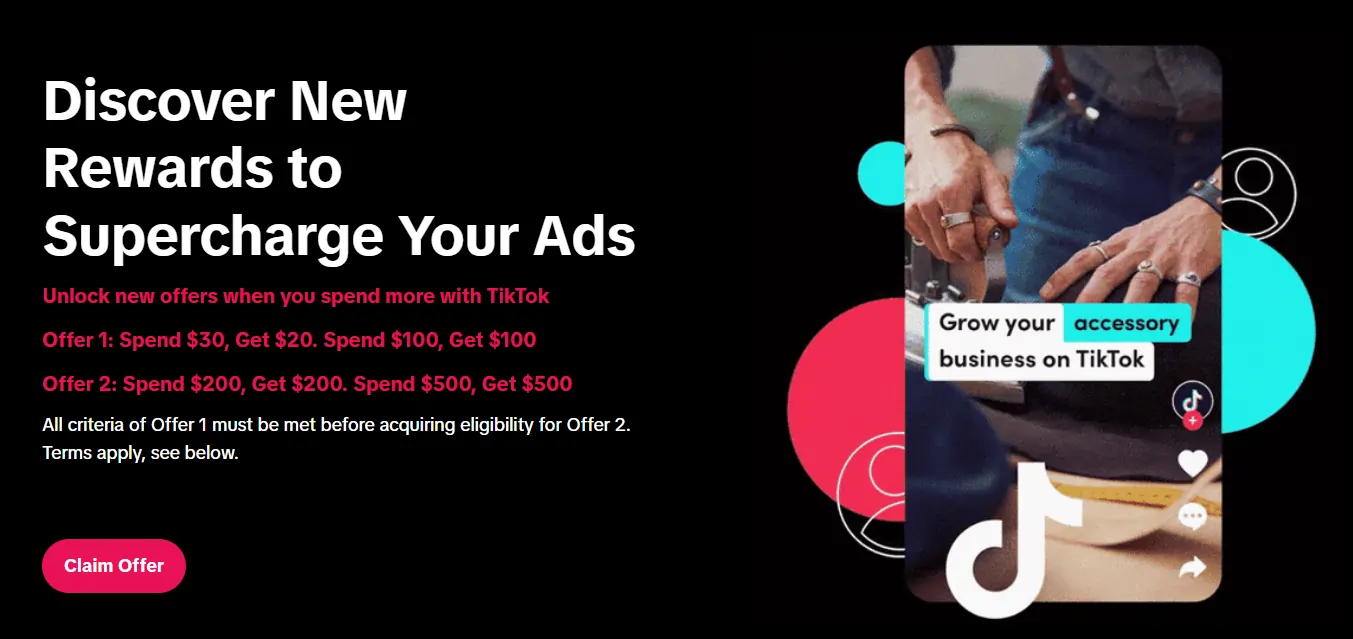
Spend $200 → Get $200
Spend $500 → Get $500
Spend $1,000 → Get $1,000
Spend $4,000 → Get $4,000
Spend $6,000 → Get $6,000
Leave a Reply