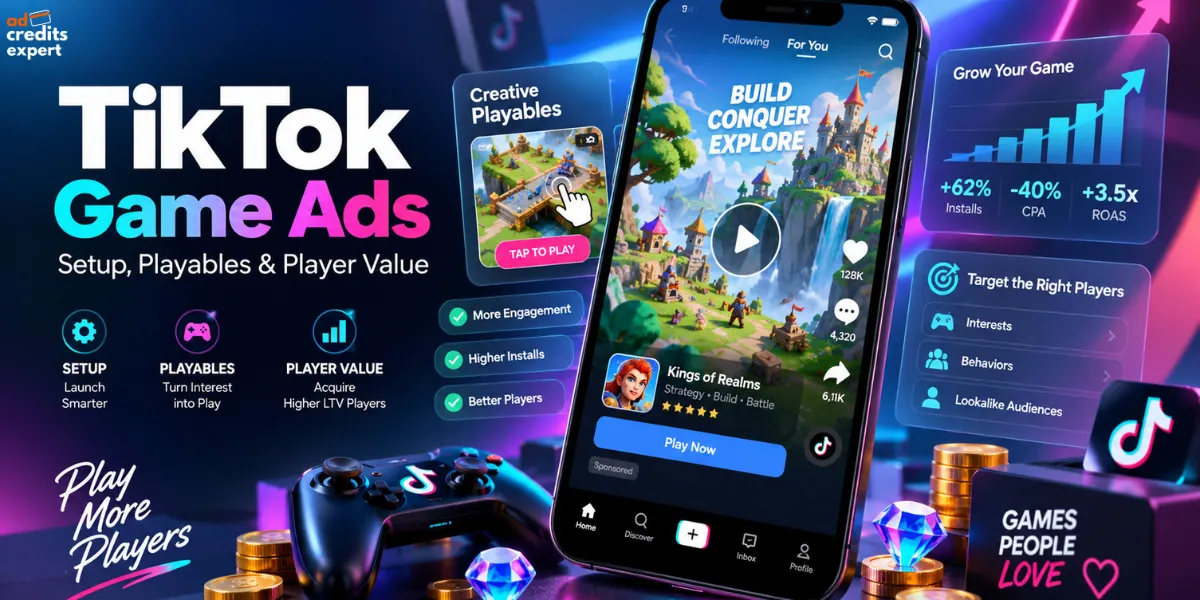
TikTok Game Ads help advertisers acquire mobile players, optimise purchases and grow ad revenue through App Promotion campaigns, creator videos and playable demos. In 2026, TikTok Growth Max also supports Mini Games played inside TikTok, using onsite signals rather than an app store install journey.
Cheap installs, however, are only useful when players return or generate revenue. Your campaign needs a clear revenue signal, accurate attribution and gameplay matching what people actually download.
At AdCredits Expert, our focus is straightforward. Protect your test budget, measure player value and scale after acquisition costs make sense. Here is how those decisions connect inside TikTok Ads Manager.
Quick Verdict on TikTok Game Ads
Choose a revenue goal before setting bids. Use event optimisation to acquire players who complete useful actions, then value optimisation when revenue becomes your priority. Keep playable demos separate from onsite Mini Games.
Judge results before promotional credits, so temporary savings cannot disguise weak acquisition economics.
Match App Optimisation to Your Game’s Revenue
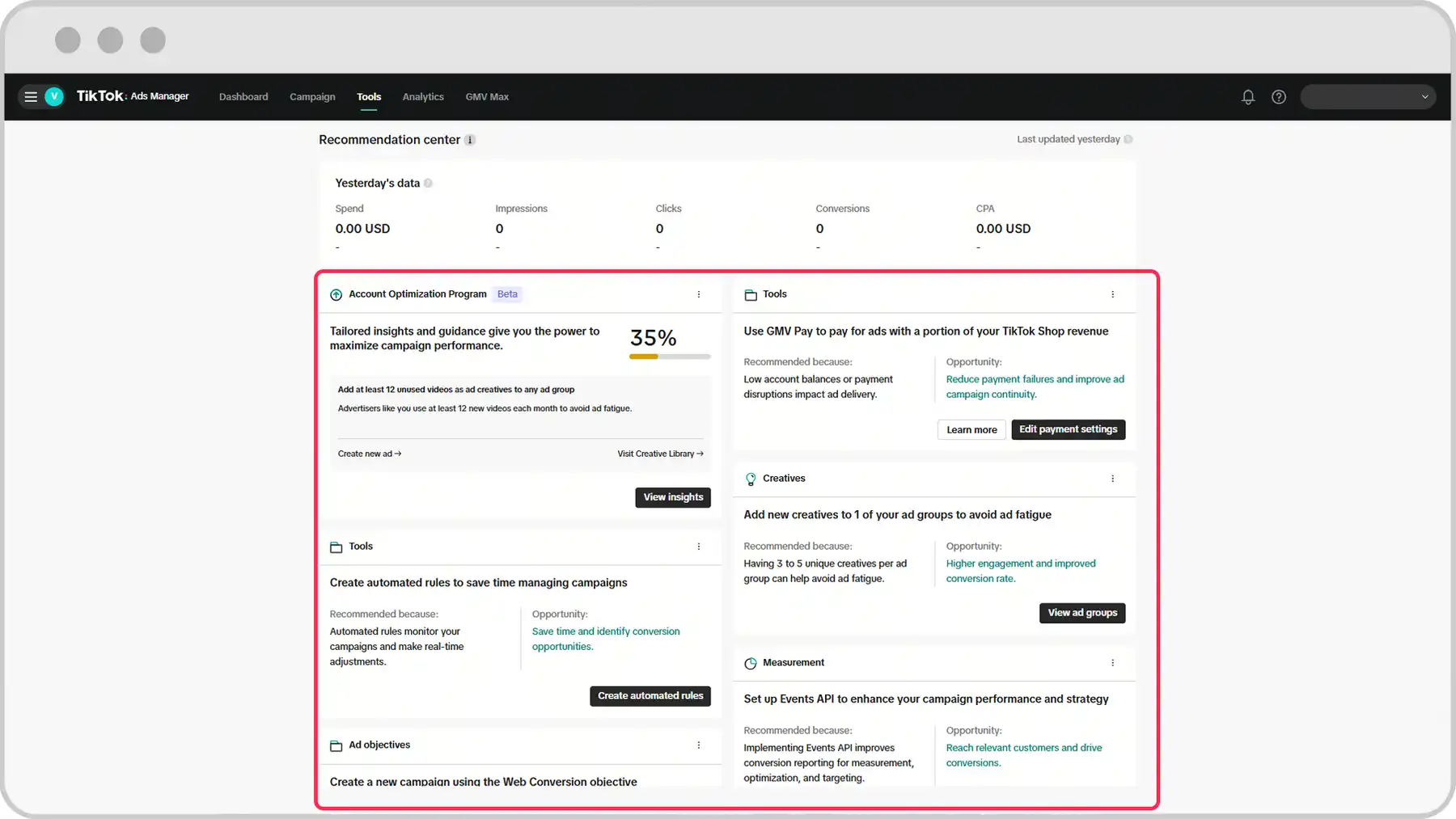
A campaign optimised towards installs is not instructed to find your biggest spenders. Match mobile game user acquisition to a measurable business outcome instead. TikTok provides install targeting, App Event Optimization (AEO) and Value Based Optimization (VBO).
| Acquisition goal | Campaign optimisation | Signal to evaluate |
|---|---|---|
| Build an initial player base | Mobile App Install | Attributed installs |
| Acquire engaged players | App Event Optimization | Achieve Level or another supported event |
| Acquire paying players | AEO Purchase | Purchase conversions |
| Increase purchase revenue | VBO Purchase value | Purchase amounts |
| Increase advertising revenue | VBO Ad revenue value | Revenue from ads inside your game |
App Event Optimization seeks a selected action. value based optimisation targets people likely to generate higher purchase or advertising revenue. VBO supports eligible Android and iOS app campaigns.
Purchase VBO eligibility requires at least one qualifying purchase conversion carrying value within 365 days. Ad revenue VBO requires real time revenue postbacks through a supported mobile measurement partner. Eligibility is a technical gate, not evidence that one purchase provides enough data to scale.
Choose an early progression event only when your own player data connects that milestone with future value. Cheap level completions mean little when those players never return.
TikTok Ad Coupon: Optimize Game Ads For Revenue
Use TikTok Ad Coupon for $6000 TikTok Ad Credits and optimize mobile game campaigns toward purchases, value, and revenue.
Connect Revenue Signals Before Buying Traffic
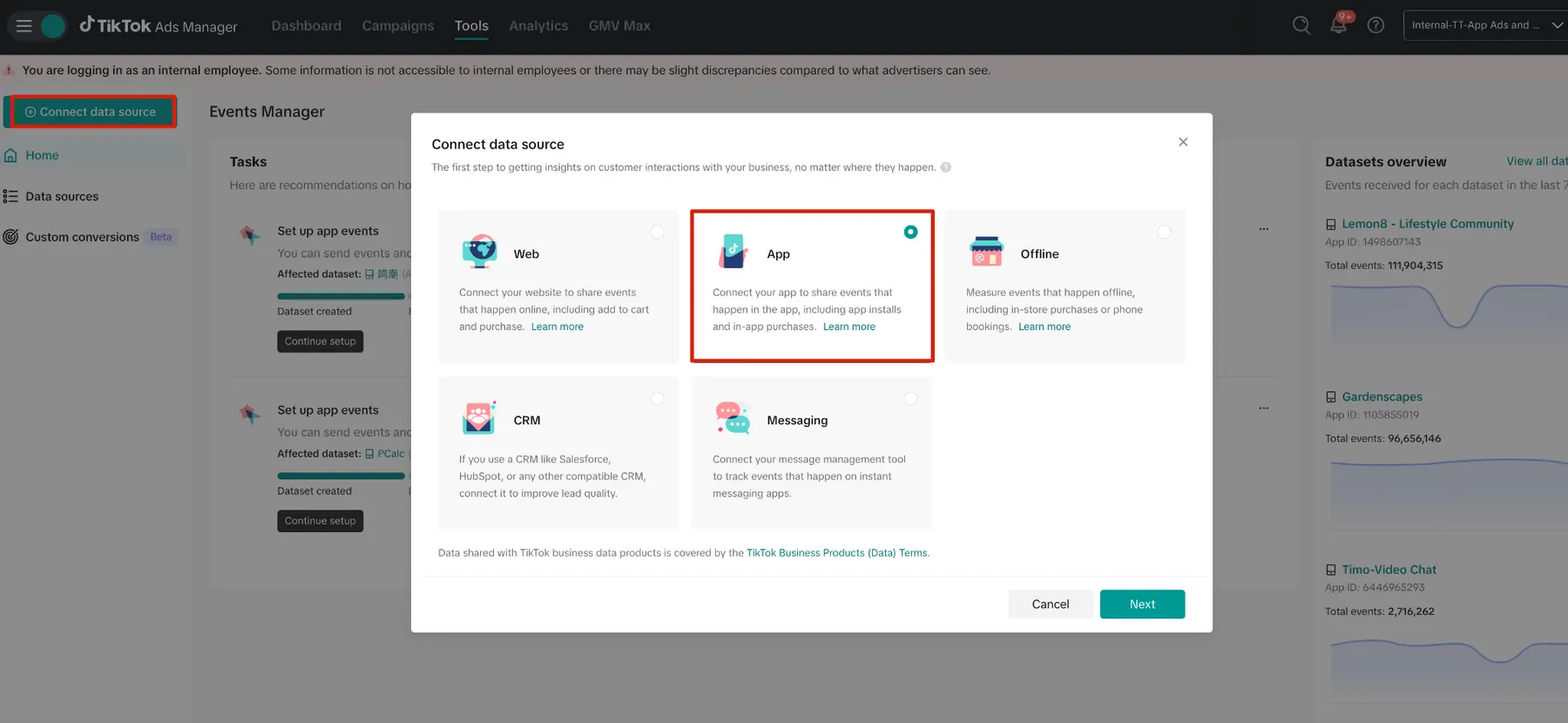
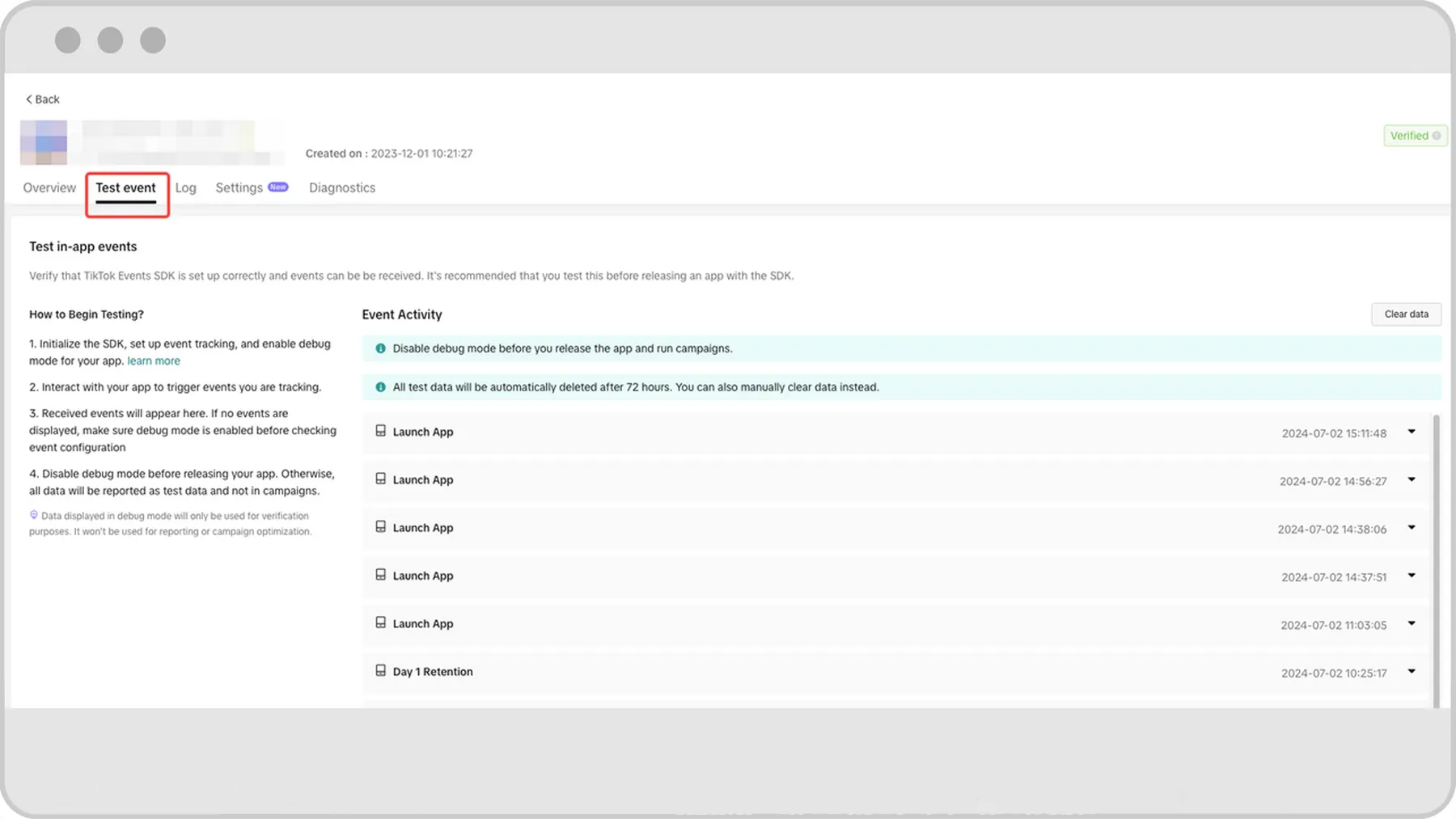
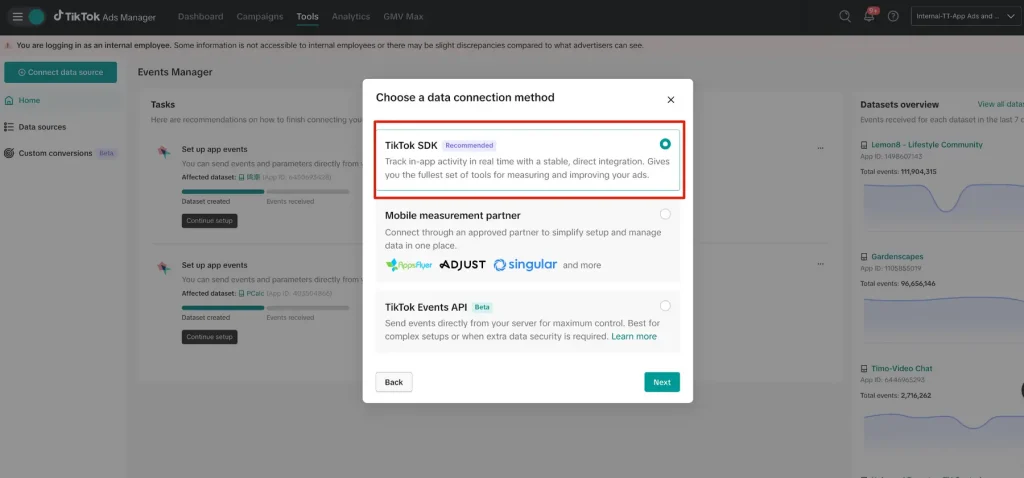
Register your app in Events Manager and connect a mobile measurement partner (MMP) or TikTok App Events SDK. Hybrid setups support both within one account. Native iOS, Android and Unity SDK integrations are available.
Your validation plan should cover three checks.
Ad funded games need in app ad revenue signals, not just purchase tracking. Send impression_level_ad_revenue through a supported MMP in real time. A revenue total in an internal dashboard does not replace the required postback.
On iOS, assign SKAdNetwork conversion value updates to one SDK. When your MMP owns those updates, disable SKAdNetwork support in TikTok SDK using disableSKAdNetworkSupport(). Two SDKs should not compete to update conversion values.
Finally, distinguish test events from production data. SDK debug events enter a test pipeline and cannot support reporting. Publish the integrated app version and verify production signals before treating a successful test as a completed measurement setup.
Give Players Gameplay Before Asking for an Install
Start with footage showing a real decision, challenge or reward. A player should understand what they will do, not merely see a cinematic trailer.
Spark Ads can promote your own posts or authorised creator posts. Engagement earned through promotion remains attached to the original post. Use creator demonstrations when a person explaining a mechanic adds value; do not choose a clip solely because it collected likes.
For uploaded non-Spark video, vertical 9:16 is recommended, with a minimum resolution of 540 × 960 pixels. Files can be up to 500 MB, with bitrate at least 516 kbps.
MP4 and MOV are supported. Safe zones depend on dimensions, caption length and extra ad elements. Preview captions and interface overlays together, not as separate files.
TikTok Playable Ads Need a Separate Build
TikTok playable ads combine a feed video with an interactive preview and a download prompt. They support iOS and Android through App Promotion, but require the upgraded Smart+ experience. A playable is not a full Mini Game hosted inside TikTok.
| Playable component | Technical requirement |
|---|---|
| Upload package | ZIP smaller than 5 MB after compression |
| Entry page | index.html in the root directory |
| Configuration | Root config.json with Playable_orientation |
| Orientation values | 0 supports both; 1 portrait; 2 horizontal |
| Store action | TikTok JS SDK handles the store handoff |
| Asset behaviour | No HTTP requests, external asset loading or JS redirects; no mraid.js format |
Use window.openAppStore() through the required SDK rather than creating your own redirect. Package game assets locally and keep essential controls inside safe zones.
Give players one clear instruction, such as tap, swipe or hold. Then let them complete a representative action. A confusing demo adds friction before your app store page even appears.
Test Player Motivations, Not Cosmetic Edits
Build your gaming ad creative testing around recognisable player decisions. Try these concepts as separate tests, not guaranteed winners.
Keep geography, operating system and offer consistent when comparing concepts. Change one major element per controlled test, then assess installs alongside your chosen event. A stronger opening is useful only when subsequent conversion quality holds up.
Optional Smart+ Symphony tools can generate recommended creatives and apply enhancements such as resizing, translation and dubbing. Review output before delivery, especially game terminology, reward claims and any footage altered beyond what players receive.
Automation should shorten production work, not change your product promise.
Set Up TikTok Game Ads Step by Step
1. Select App Promotion and Your Game
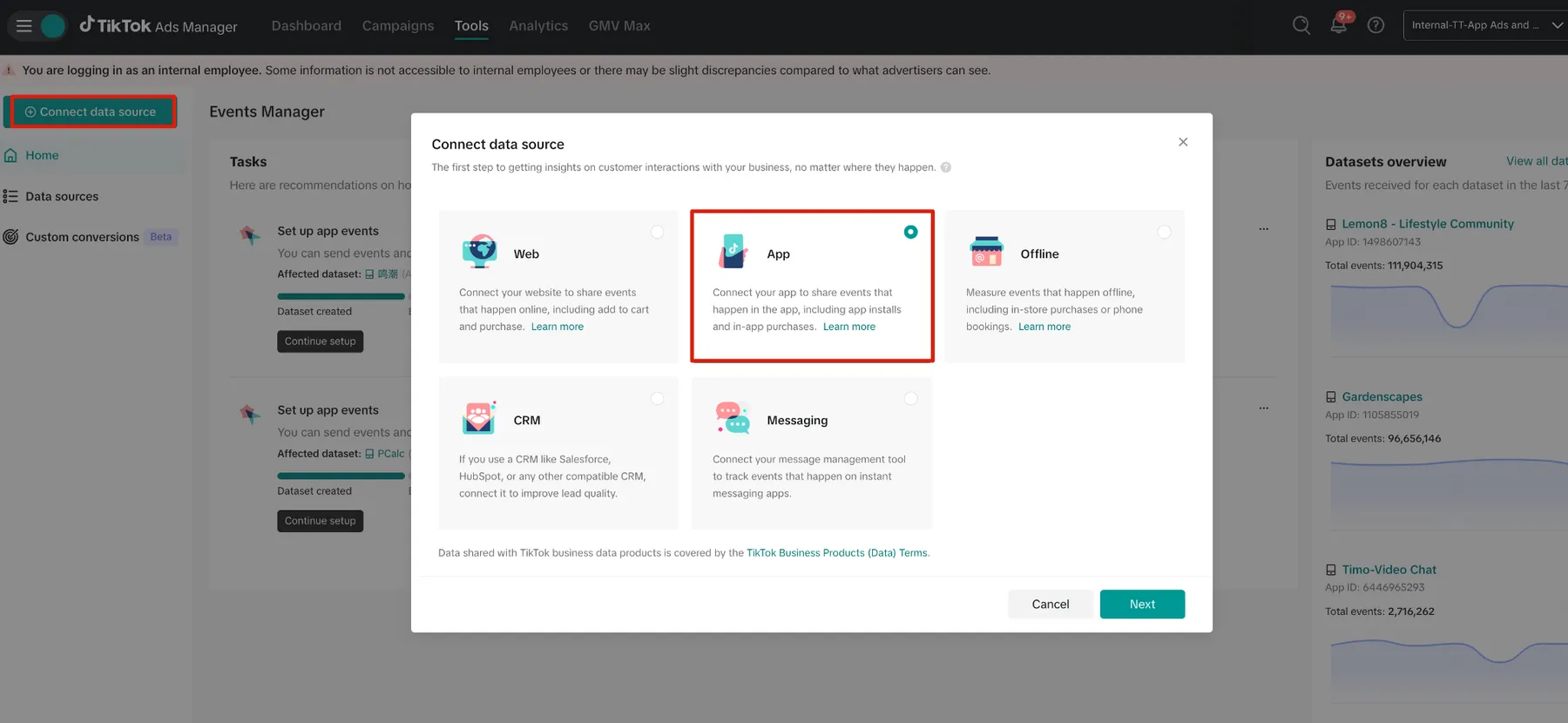
Open TikTok Ads Manager, create a campaign, select App Promotion and choose App Install. Select the correct app and operating system. Choose the upgraded Smart+ workflow when adding playable assets.
Keep acquisition separate from reactivation. To reach existing installers, use App Retargeting and an appropriate app audience rather than assessing returning players as newly acquired users.
2. Select an Event or Revenue Goal
Choose installs, an eligible app event or Value. Under Value, select Purchase value or Ad revenue value. Eligible VBO campaigns offer Highest Value and Target ROAS, with Day 0 or Day 7 options where available.
Match your reporting window to that choice. A Day 7 revenue target needs mature Day 7 results before you can fairly assess success.
3. Set Geography and Placement Deliberately
Use a broad starting audience within valid markets rather than layering every gaming interest available. TikTok recommends at least a Fairly Broad audience for playable campaigns.
In upgraded Smart+, automatic placement is the default; manual controls provide placement selection. Use TikTok only when testing TikTok feed performance specifically. Do not label a mixed placement result as a TikTok feed benchmark.
4. Choose Bids Around Your Actual Priority
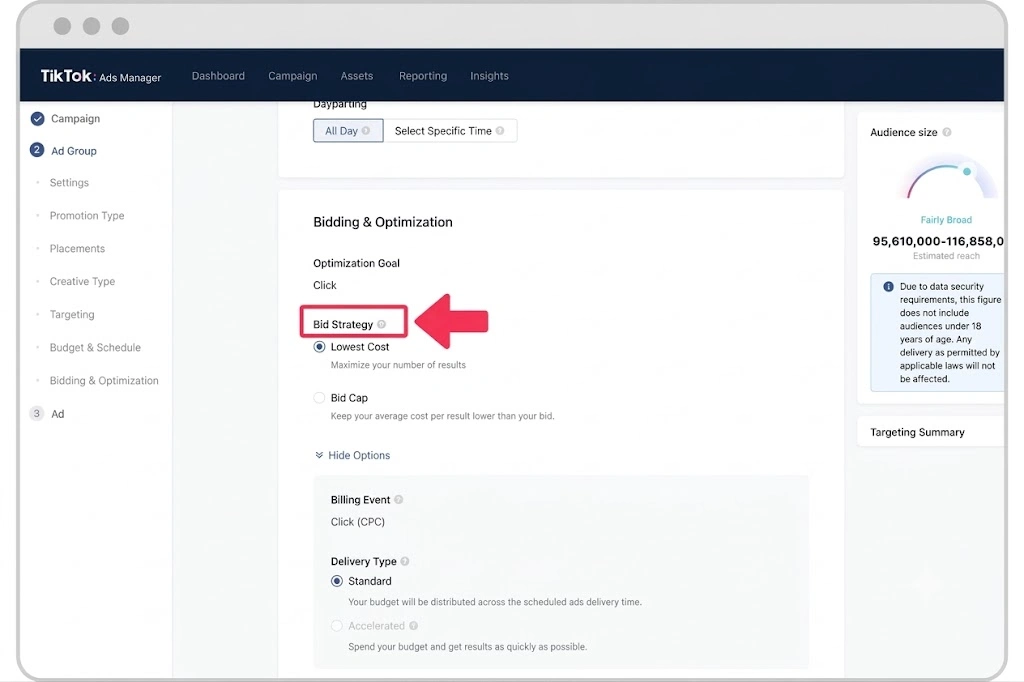
Highest Value prioritises spending your budget to acquire value. Target ROAS prioritises a return goal, so spending every available dollar becomes secondary. Base your initial target on comparable recent results, not a desired profit figure unsupported by campaign history.
For event campaigns, Target Cost per Result and Maximum Results availability depends on operating system and campaign setup. Check available controls before copying another account’s configuration.
5. Add Assets With Clear Test Differences
For a playable campaign, start with at least six video assets and one playable per ad group. Add assets directly or select them from the Creative Library.
Try a puzzle solution, a progression reveal and a creator explanation. Give each concept a distinct opening. Six near identical edits provide a much narrower test than six genuinely different demonstrations.
6. Preview the Complete Player Journey
Test via Ads Manager and a mobile QR preview. Technical validation does not check safe zones or general playability, so inspect both manually.
Check touch controls, sound, readable instructions and destination accuracy. Playable previews do not support the final App Store jump; a missing store launch during preview alone is not proof of a broken asset.
Set a Budget Your Chosen Event Can Support
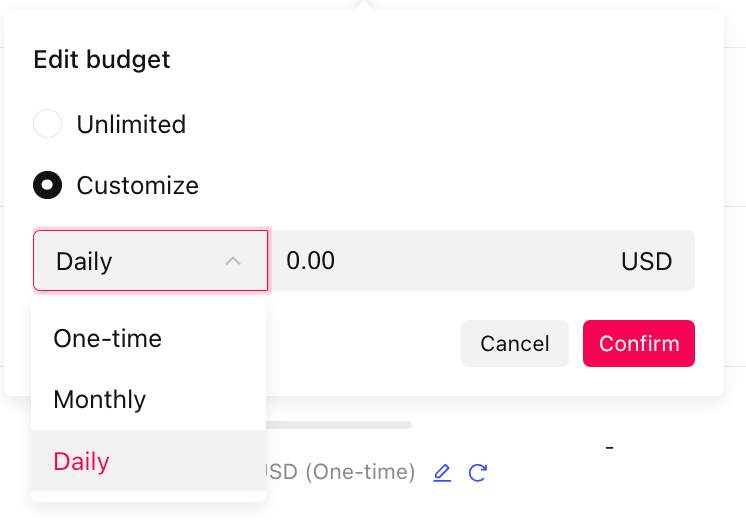
Minimum spend settings and useful test budgets are different things. When set, campaign budgets must exceed $50; daily ad group budgets must exceed $20. Here, CPA means cost per acquisition for your selected outcome. Those thresholds do not tell you how many purchases your game can acquire.
| Campaign approach | Suggested starting budget | Reference metric |
|---|---|---|
| Smart+ Maximum Results | At least 10 times historical CPA daily | Comparable acquisition cost |
| Smart+ Target Cost per Result | At least 30 times target CPA, or over three times usual daily campaign budget | Recent event CPA |
| App VBO | Around 30 times CPA or three times manual campaign budget | Matching revenue objective |
These are TikTok’s starting recommendations, not guaranteed outcomes or universal minimums. Use historical CPA from the same event, not install CPA when optimising purchases.
Allow at least seven days for learning in Smart+ app and VBO tests. Around 50 conversions is an important learning indicator, not an automatic promise of stability. Avoid unnecessary bid, budget and creative changes during that period.
After learning, diagnose rising CPA alongside declining click and conversion rates. Add fresh assets without immediately deleting existing winners. Keep measurement failures separate from creative fatigue; changing videos cannot repair missing revenue events.
Once learning has ended, keep budget increases within 30% per adjustment and avoid changes more often than every two days. Reserve emergency intervention for genuine problems, such as broken tracking or an unacceptable spend rate.
Use Growth Max for Games Played Inside TikTok
TikTok Growth Max supports a different destination. Mini Games open within TikTok instead of sending players through an external app installation. Current campaign support centres on in app advertising, or IAA, with Day 0 VBO. Do not treat this as a purchase optimisation campaign for your downloadable game.
After publishing your Mini Game and adding it to Business Center, follow this setup.
Only TikTok placement is supported. Target locations must match markets where your Mini Game is registered. Start with at least 10 creatives per campaign as a recommended asset supply, not a platform minimum.
Begin with Highest Value for three to five days to establish a Day 0 ROAS reference. Then use those results to inform Target ROAS bidding. A one campaign, one ad group, multiple assets structure is recommended, with separate campaigns by market and data centre.
Read Revenue Reports Without Inflating Success
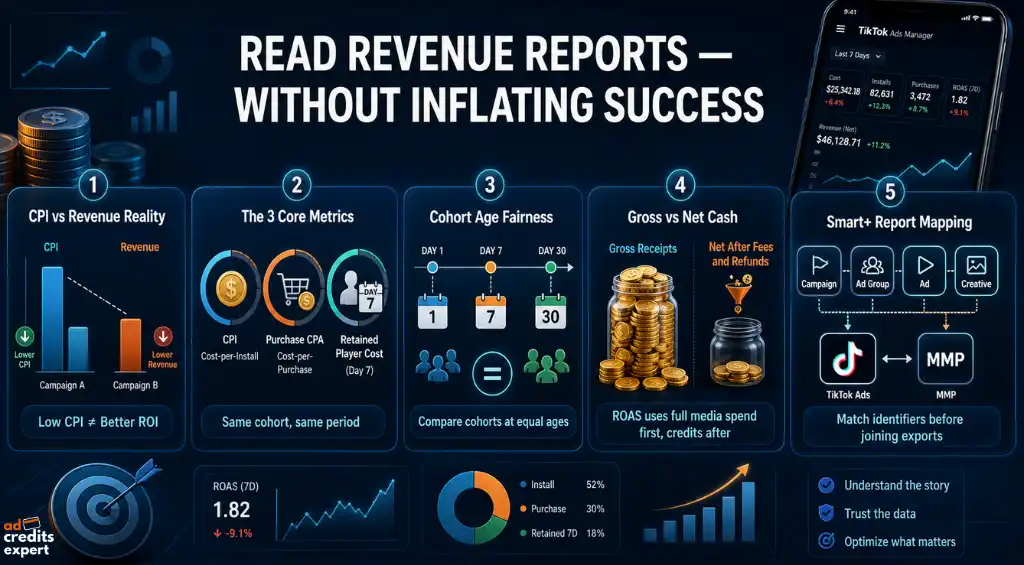
Evaluate return on ad spend alongside retention, purchase conversion and cost per acquired player. A lower cost per install, or CPI, is not automatically better if revenue per player falls further.
Use a consistent cohort, meaning players acquired during the same period, and calculate three figures.
Compare cohorts at equal ages. A group acquired yesterday cannot provide a complete Day 7 result. Also separate revenue from contribution after fees, refunds and variable costs. Your affordable acquisition ceiling should reflect what remains, not just gross receipts.
Upgraded Smart+ reports across campaign, ad group, ad and creative levels. MMP mapping does not mirror all four. TikTok’s creative name maps to the MMP ad name, while the asset grouping ad level is not reported there. Match identifiers before joining exports.
Check playable assets under Tools → Creative Library → Playable. Within an ad group’s View data screen, Video post rows represent video and playable combinations, so avoid judging them as standalone video tests.
For Mini Games, open Campaigns, Custom table, then Conversions and TikTok. Active measures unique first entries after ad clicks; Launch measures unique returning entries. Paid and organic revenue columns include both sources, so keep them labelled accordingly.
Also distinguish a 24 hour revenue window from a calendar day. Calendar reporting ends at 11.59 pm in your ad account’s time zone. Mixing those windows can produce misleading comparisons.
At AdCredits Expert, keep promotional savings in a separate cash cost calculation. Assess campaign ROAS using full media spend first. Then calculate your net cash position after credits actually applied. A subsidised test can justify learning; it cannot establish repeatable profitability by itself.
Keep Game Advertising Within Its Approved Category
Keep gameplay and offers consistent with your advertised product. Do not add fake play or close buttons, misleading download prompts, or rewards absent from your destination. AI generated and significantly edited media also need appropriate disclosure.
Social casino, gambling and games offering monetary rewards need separate category checks. Geographic limits, age restrictions and certification requirements vary. Do not assume ordinary mobile game settings cover those products.
Conclusion
Build TikTok Game Ads around the player action your business can afford to buy. Connect revenue signals, select a matching optimisation goal and test gameplay people will actually receive. Use playable demos to support app acquisition and Growth Max only for eligible onsite Mini Games.
Then let mature revenue and retention guide your next budget decision. More installs can look impressive. More players who justify acquisition spend are what make another campaign worthwhile.

About the author

Jordan Blake
A digital advertising specialist with years of experience in optimizing ad spend and leveraging promotional credits across platforms like Google Ads, Meta Ads, and more.
Similar Posts
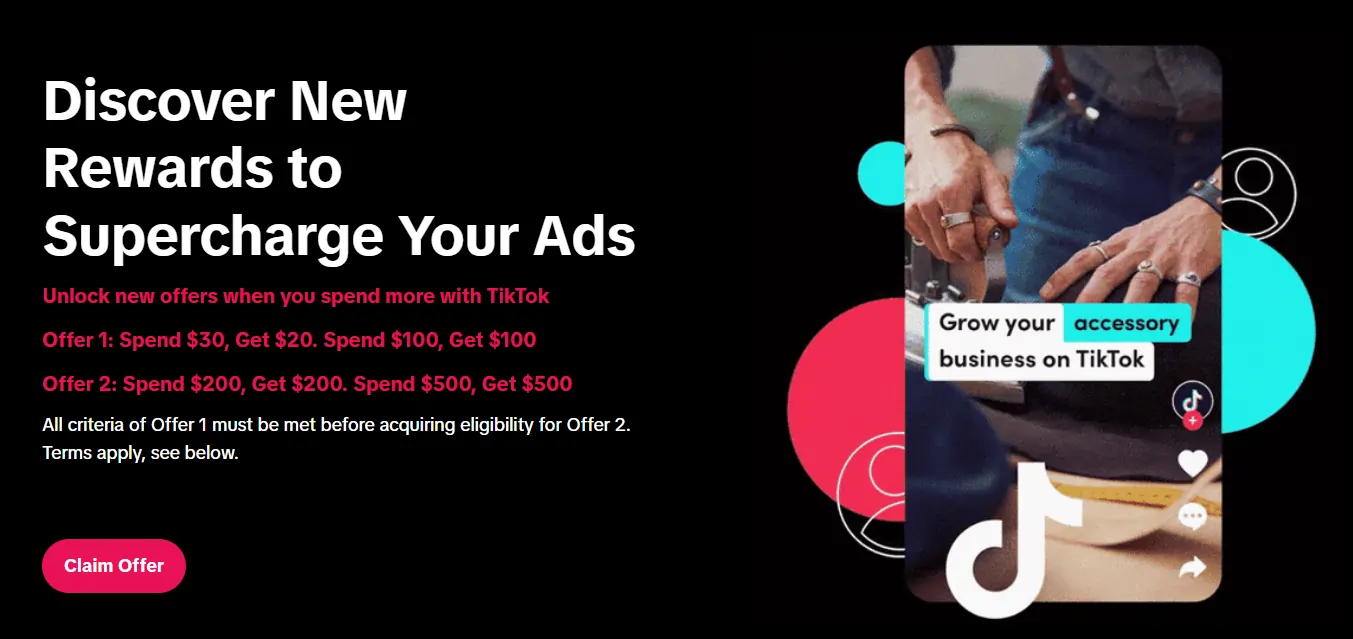
Spend $200 → Get $200
Spend $500 → Get $500
Spend $1,000 → Get $1,000
Spend $4,000 → Get $4,000
Spend $6,000 → Get $6,000
Leave a Reply