
Hey there, affiliate marketers and Amazon sellers! Ready to take your game to the next level? If you’re hustling to push more products on Amazon or looking to dominate those search rankings, Google Ads is your secret weapon. It’s not just another ad platform; it’s a proper tool to skyrocket your visibility and sales.
Today, we’re covering why Google Ads is a must for Amazon sellers, how to run Google Ads for Amazon products, and some sneaky tips to crush it in 2025. Let’s get cracking!
Quick Stats & Facts
Why Google Ads is a No-Brainer for Amazon Sellers
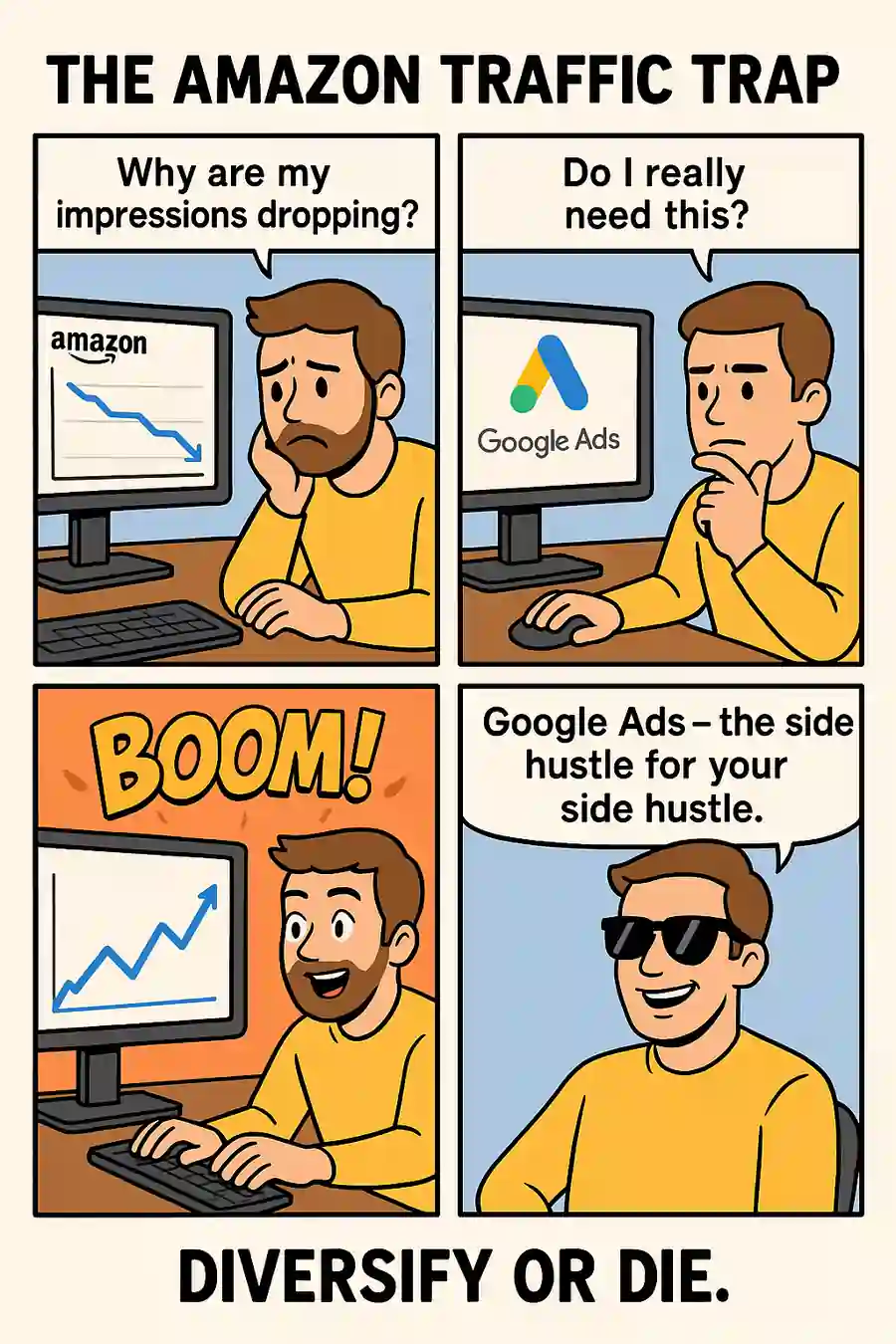
First off, why bother with Google Ads when Amazon’s already a massive marketplace?
Simple-diversifying your traffic sources is like having multiple income streams.
It’s all about getting more eyes on your products. Google Ads lets you tap into a huge chunk of potential buyers who start their shopping journey on Google, not Amazon.
In short, Google Ads isn’t just about extra sales; it’s about building a bigger, badder presence both on and off Amazon.
Step-by-Step Guide to Running Google Ads for Amazon Products
Alright, let’s roll up our sleeves and get into the nitty-gritty of setting up a Google Ads campaign for your Amazon goodies. Don’t worry; I’ve got your back with a clear, actionable plan. Let’s do this!
Step 1: Craft a Killer Landing Page
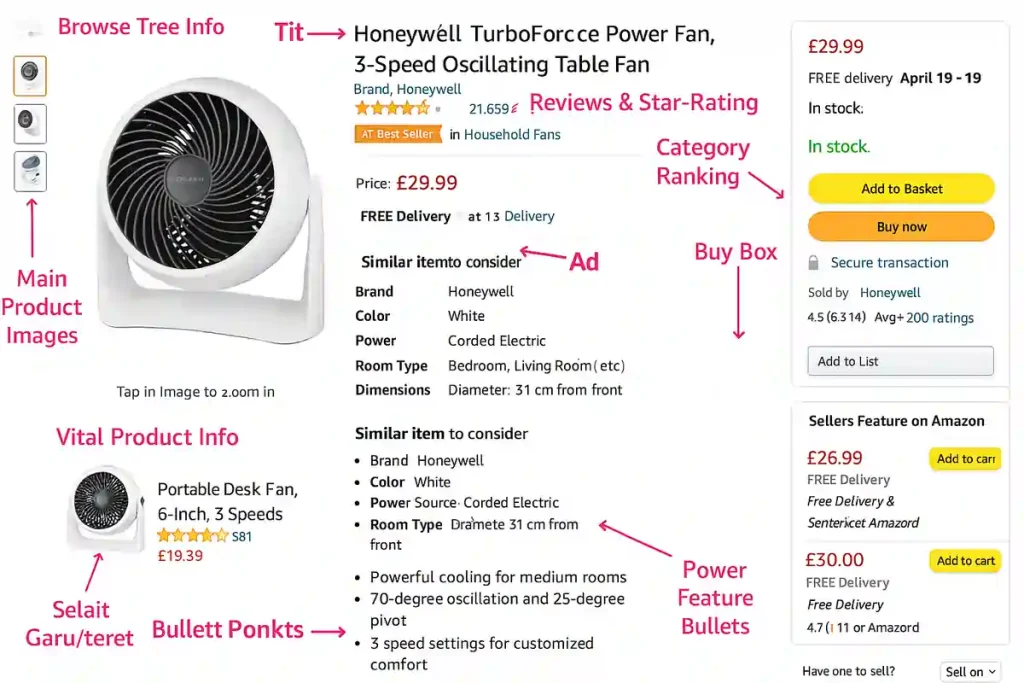
Before you even think about ads, you need a slick landing page. Why?
Google Ads won’t let you send traffic straight to Amazon (it’s against their policies), and a dedicated page boosts conversions anyway. This is your chance to pre-sell the product and grab those precious email leads.
Here’s how to nail it:
Step 2: Dig Deep with Keyword Research
Keywords are the backbone of any Google Ads campaign. Get this wrong, and you’re burning cash. Get it right, and you’re laughing all the way to the bank.
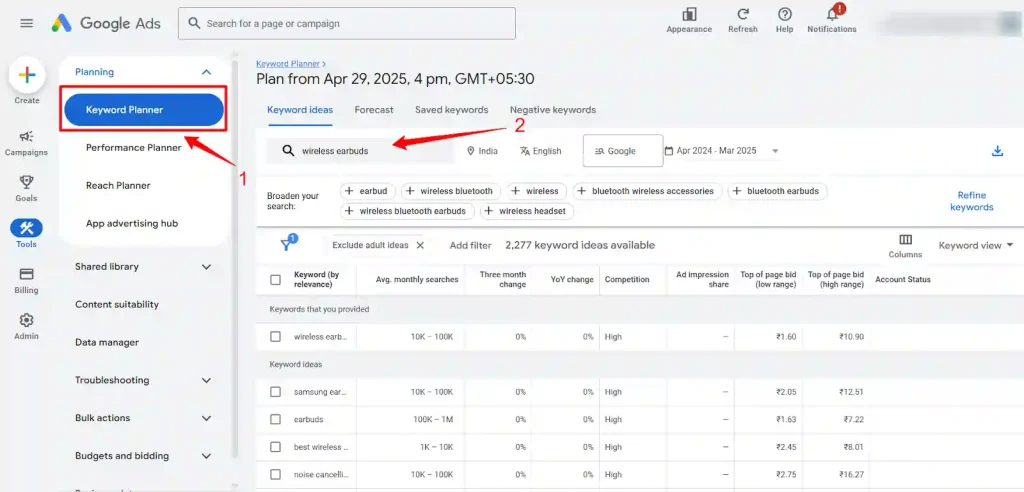
Don’t just guess-test a mix of keywords and tweak bids based on performance. It’s all about finding that sweet spot.
Step 3: Set Up Your Google Ads Campaign Like a Boss
Now, let’s get into the Google Ads dashboard and build your campaign. If you’re new, it might look a tad overwhelming, but stick with me.
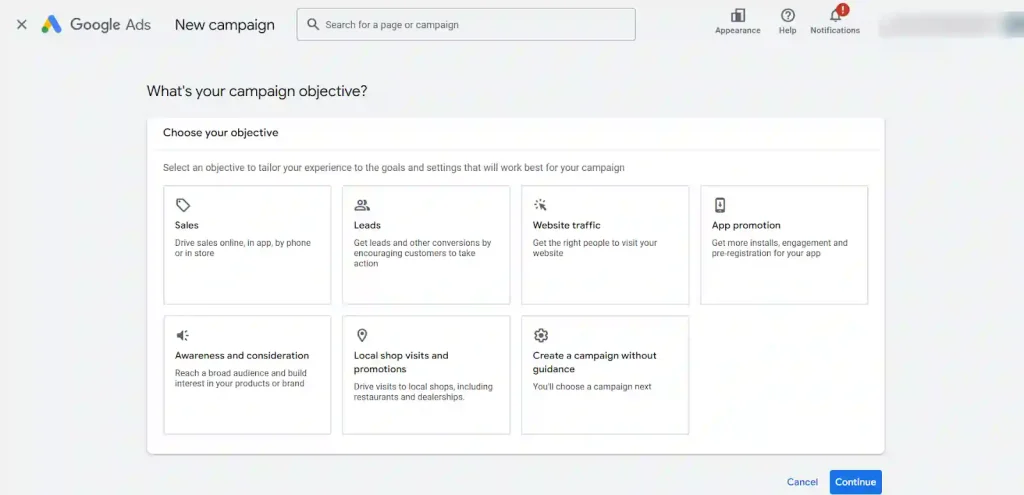
- Create a New Campaign: Log into Google Ads, hit “New Campaign,” and pick a goal like “Sales” (for boosting Amazon sales) or “Leads” (for email captures). Choose “Search” as your campaign type since we’re targeting folks actively searching.
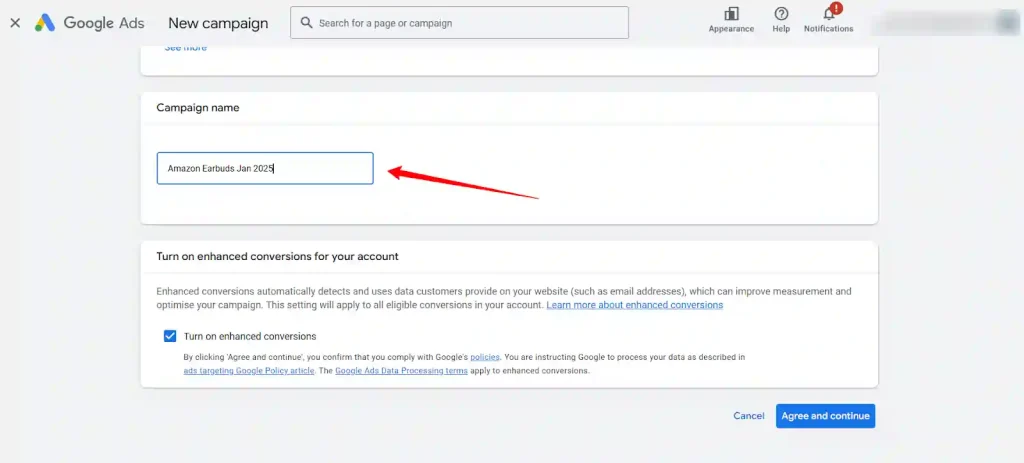
- Basic Settings: Name your campaign something clear (like “Amazon Earbuds Jan 2025”). Skip the “Search Network” and “Display Network” for now to keep focus tight. Set your target location (e.g., UK if you’re on Amazon.co.uk) and language.
Start with a modest daily budget-say £5-£10-and opt for “Manual CPC” to control costs while you test. Google Ads for Amazon Products – Basic Settings
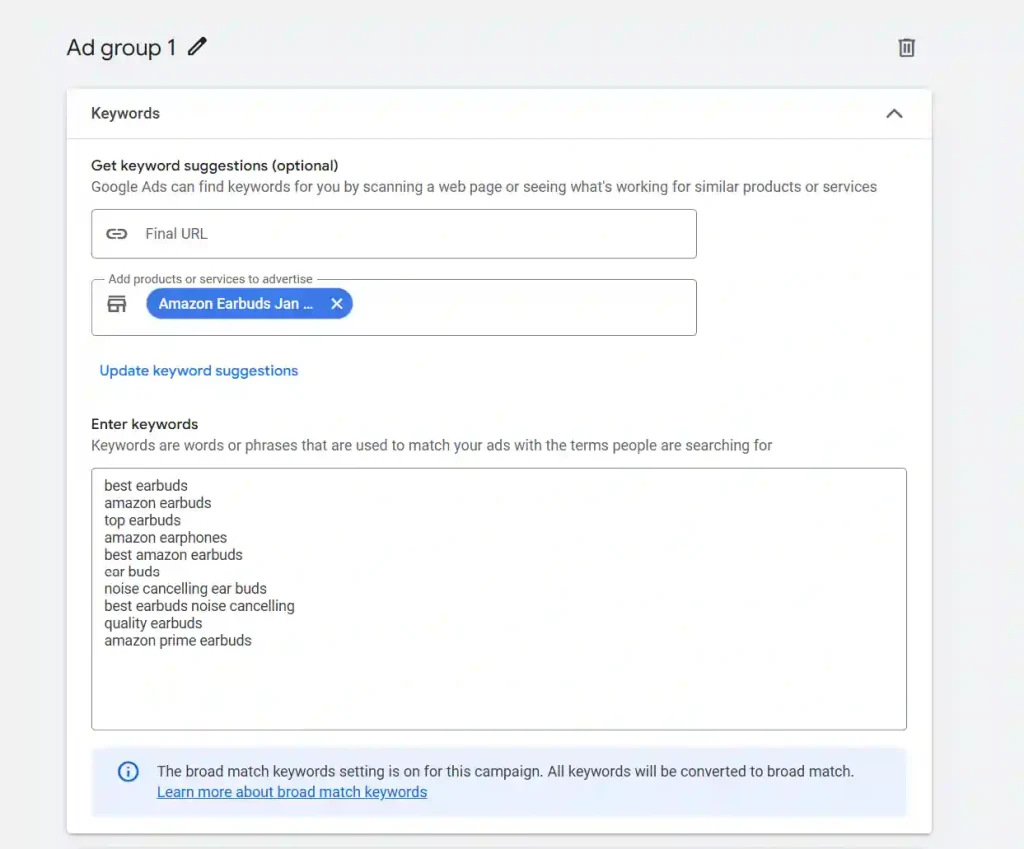
- Ad Group Setup: Group related keywords into one ad group to start. For example, bundle “wireless earbuds cheap” and “best budget earbuds” together.
Pick match types-use “Phrase Match” (e.g., “wireless earbuds”) or “Exact Match” (e.g., [wireless earbuds]) for precision. Add negative keywords (like -free) to dodge irrelevant clicks.
- Craft Your Ad: Write snappy ad copy with limited space. Include your main keyword in the headline for relevance (Google bolds it, boosting clicks). Add a clear call-to-action like “Shop Now” or “Grab Your Deal.” Capitalizing Every Word in ads often bumps click-through rates, so give it a shot.
Top Tips to Optimize Google Ads for Amazon Sellers
Setting up is just the start. To really smash it, you’ve gotta optimize. Here are some cracking tips to fine-tune your Google Ads and get max bang for your buck.
Why Google Ads Beats Other Traffic Sources for Amazon Sellers
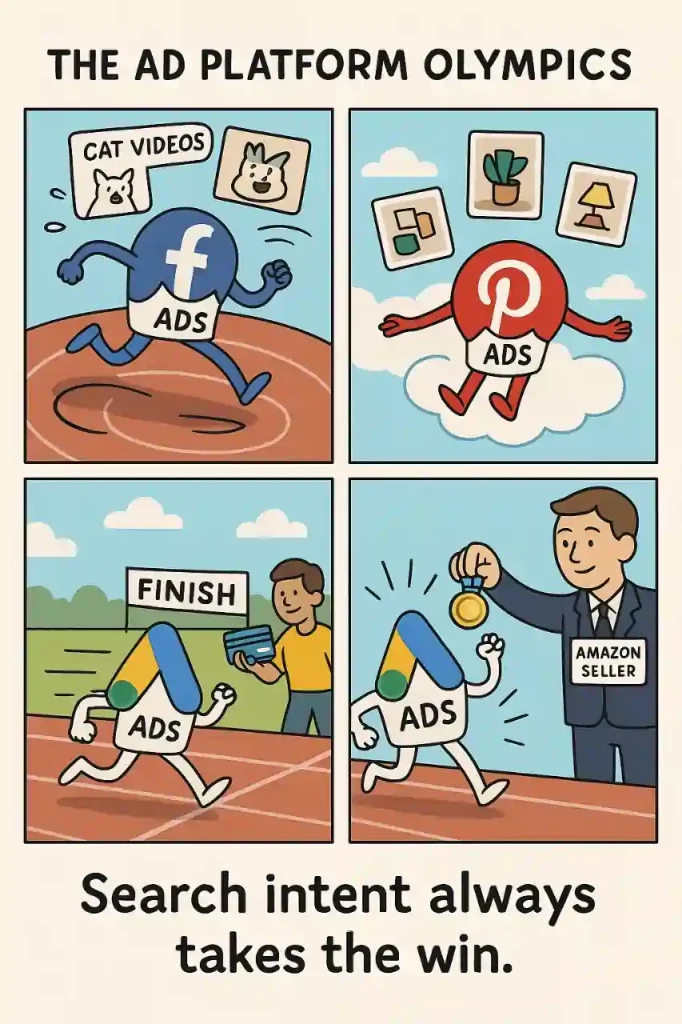
Let’s be real-there are tons of ways to drive traffic to Amazon, from Facebook Ads to Pinterest. So why pick Google Ads over the rest? Here’s the lowdown in a quick comparison:
| Platform | Pros | Cons |
|---|---|---|
| Google Ads | Evergreen traffic, keyword-focused, email capture possible, boosts Amazon rankings | Requires landing page setup, policy restrictions |
| Facebook Ads | Great for visuals, detailed targeting | High maintenance, less search intent |
| Pinterest Ads | Visual appeal, niche audiences | Smaller reach, slower conversion |
Google Ads wins for its search intent- people are actively looking to buy, not just scrolling for fun. Plus, the evergreen nature means less faffing about once it’s dialed in.
Pitfalls to Dodge When Running Google Ads for Amazon
Before you go all-in, a quick heads-up on common slip-ups. Google’s got strict policies, and Amazon links can sometimes get flagged. Direct linking to Amazon is often a no-go, which is why that landing page is non-negotiable.
Also, without tracking code on Amazon, measuring exact sales from Google Ads can be tricky. Use unique URLs or promo codes to track performance as best you can.
If policies or disapprovals stress you out (especially for time-sensitive campaigns), consider teaming up with a Google Partner agency. They can handle the heavy lifting and keep your ads running smooth.
Google Ads + Amazon = Affiliate Goldmine?
Here’s the real talk: Amazon’s internal traffic is getting pricier and more competitive by the day. Google Ads gives you a fresh stream of high-intent shoppers, helps you build a real audience, and can even boost your Amazon rankings with a smart external traffic push.
If you’re an affiliate, media buyer, or private label seller, there’s never been a better time to master Google Ads for Amazon products. Nail your landing page, get your keywords dialled in, and keep testing- because the marketers who adapt, optimise, and out-hustle the rest will be the ones cashing in.
Now, go on-set up that campaign and let the sales roll in. If you want more tips, tools, or agency support, give us a shout. Happy selling!
About the author

Jordan Blake
A digital advertising specialist with years of experience in optimizing ad spend and leveraging promotional credits across platforms like Google Ads, Meta Ads, and more.
Similar Posts
Spend $200 → Get $200
Spend $500 → Get $500
Spend $1,000 → Get $1,000
Spend $4,000 → Get $4,000
Spend $6,000 → Get $6,000

Leave a Reply